Looking for a product that isn't listed? Try searching all documentation.
Featured






Looking for a product that isn't listed? Try searching all documentation.
Insteon Hub lets you schedule lights and appliances to turn on and off throughout the day...
Insteon devices can be linked together to create virtual multi-way switches without the need for dedicated traveler wires...
Insteon Hub lets you schedule lights and appliances to turn on and off throughout the day...
Insteon devices can be linked together to create virtual multi-way switches without the need for dedicated traveler wires...
Insteon Hub lets you schedule lights and appliances to turn on and off throughout the day...
Insteon devices can be linked together to create virtual multi-way switches without the need for dedicated traveler wires...
Insteon Hub lets you schedule lights and appliances to turn on and off throughout the day...
Insteon devices can be linked together to create virtual multi-way switches without the need for dedicated traveler wires...
Insteon Hub lets you schedule lights and appliances to turn on and off throughout the day...
Insteon devices can be linked together to create virtual multi-way switches without the need for dedicated traveler wires...
Insteon Hub lets you schedule lights and appliances to turn on and off throughout the day...
Insteon devices can be linked together to create virtual multi-way switches without the need for dedicated traveler wires...


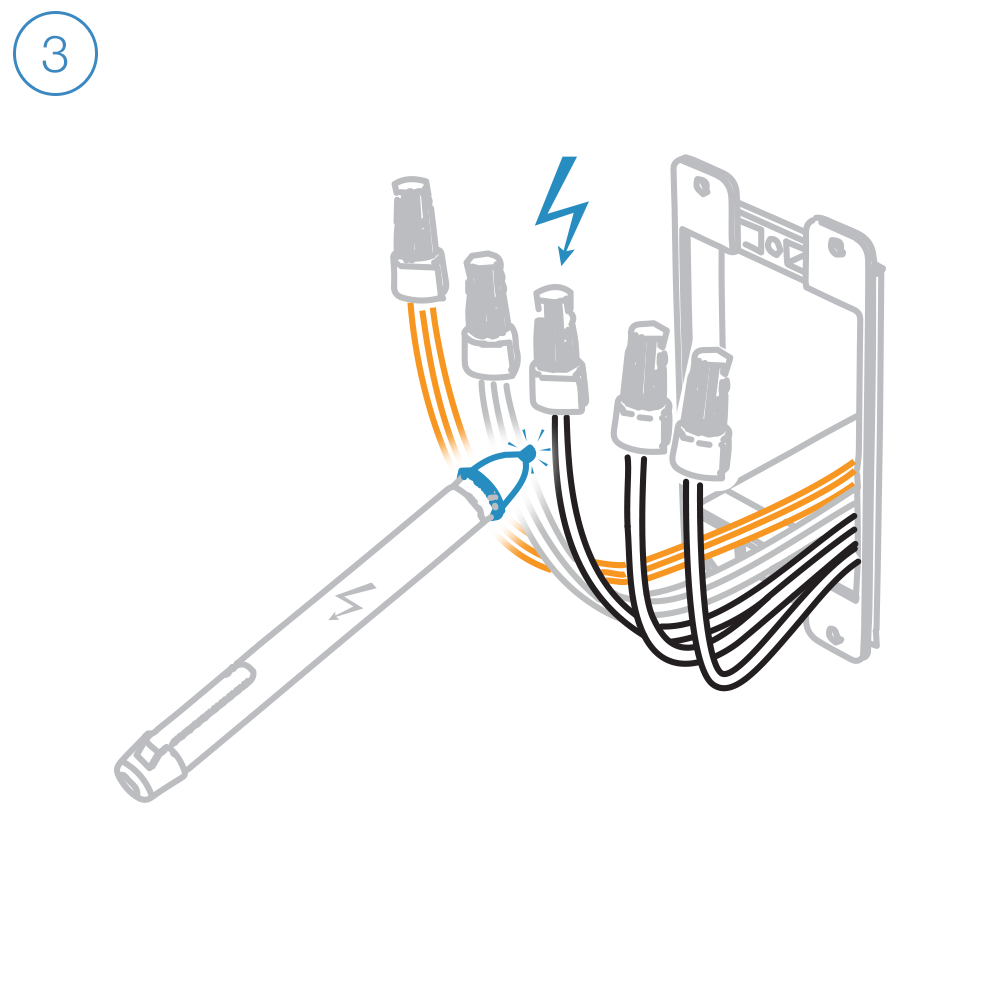
Unfold all of the wires from within the junction box. Separate the black wires and cap them with wire nuts.


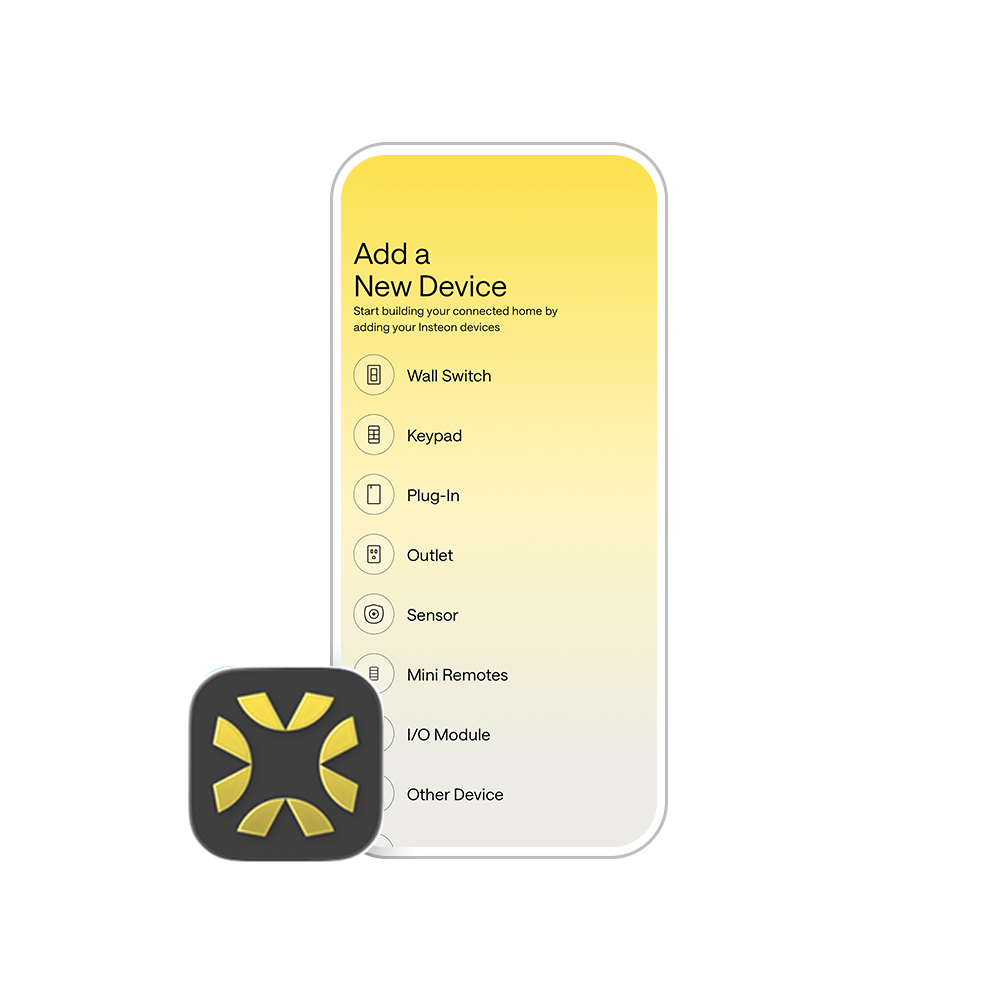
Follow the on-screen instructions in the Insteon Director app to add Open/Close Micro Module. Insteon Hub required and sold separately.
Setting up without a hub? No, problem. Check out our manual configuration instructions.
Insteon Hub lets you schedule lights and appliances to turn on and off throughout the day...
Insteon devices can be linked together to create virtual multi-way switches without the need for dedicated traveler wires...

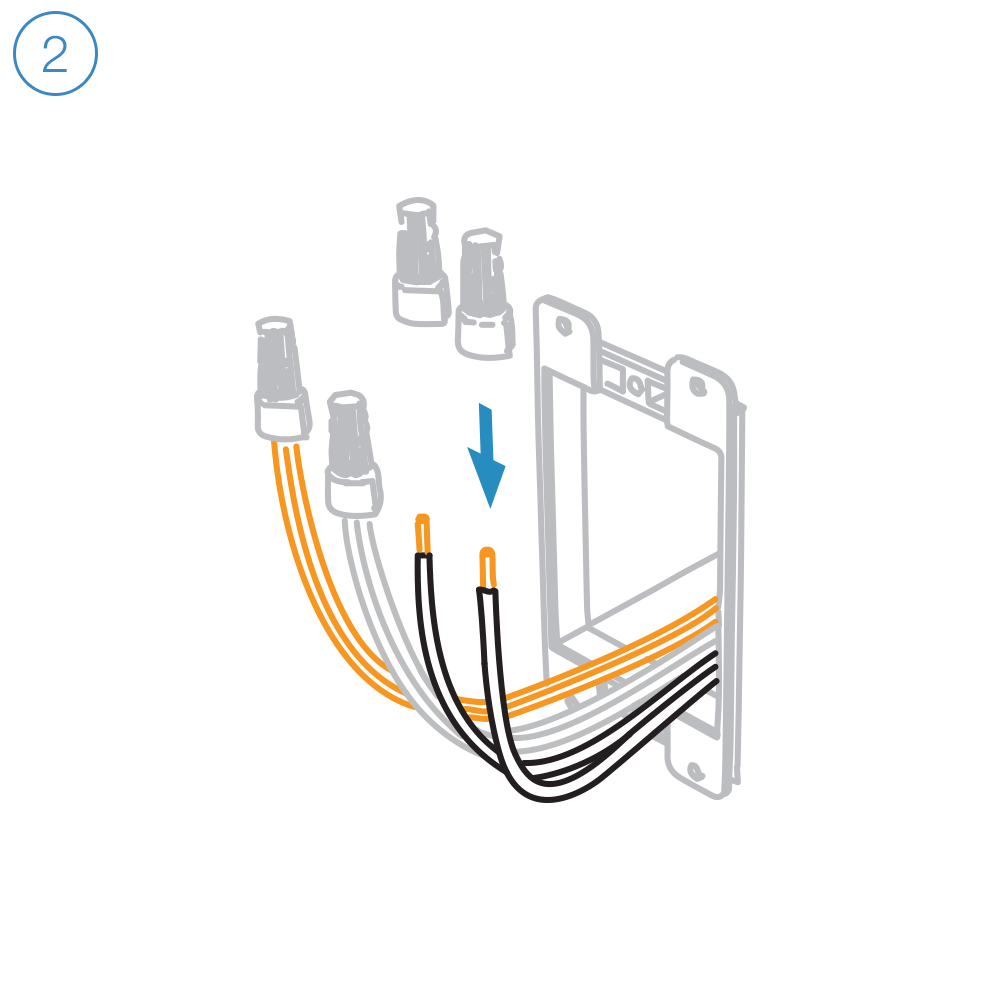
Unfold all of the wires from within the junction box. Separate the black wires and cap them with wires nuts.
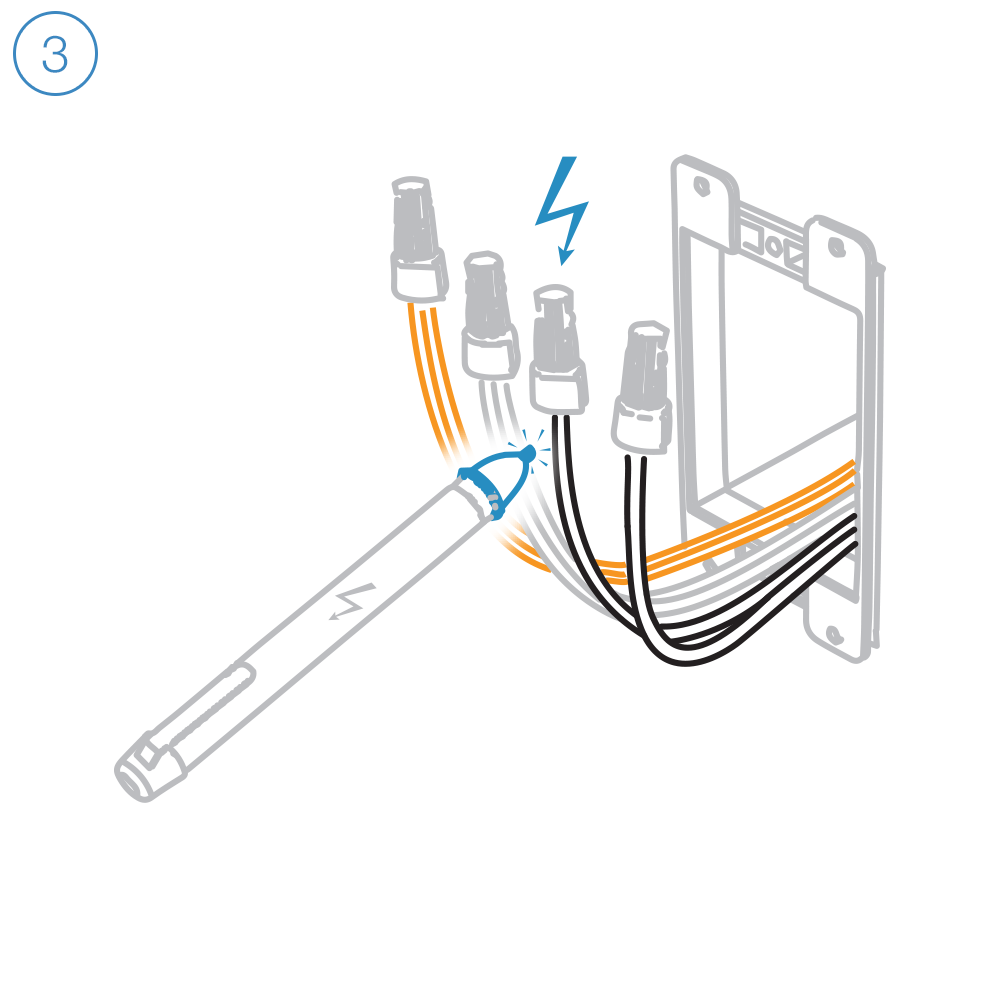
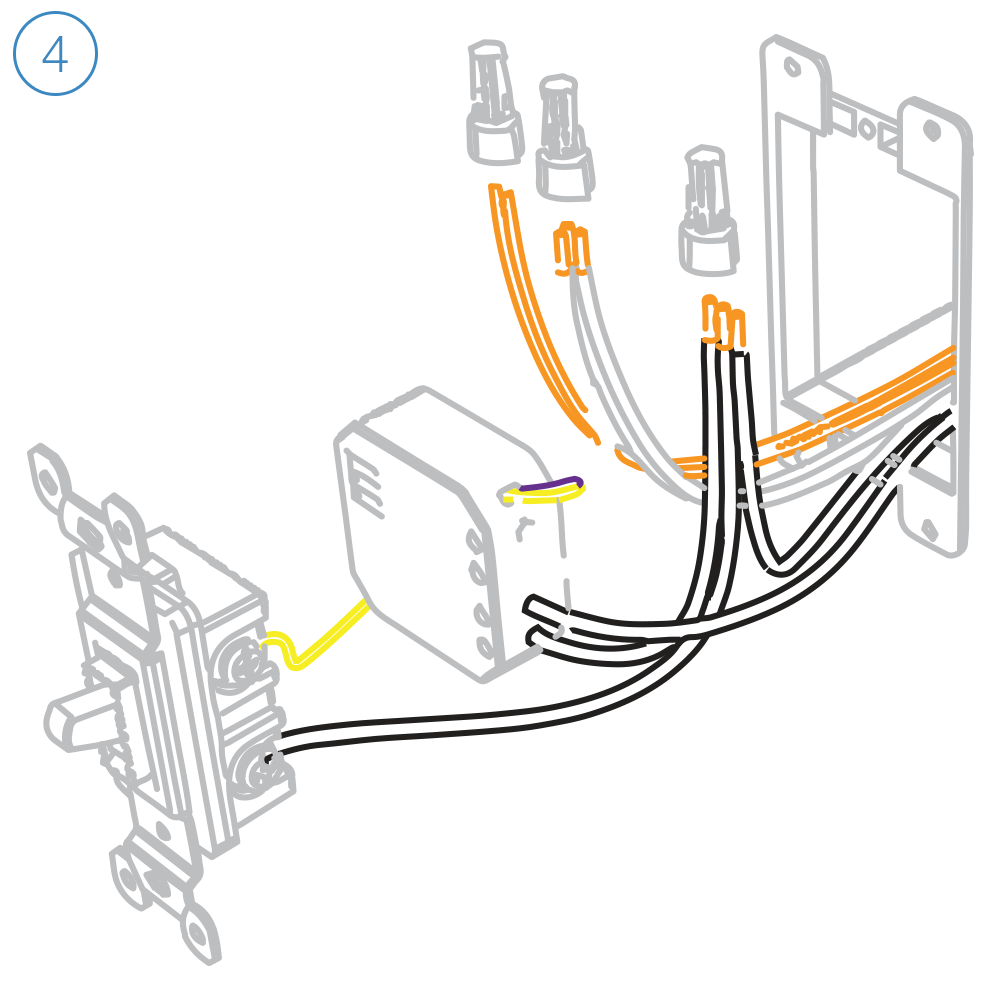

Follow the on-screen instructions in the Insteon Director app to add On/Off Micro Module. Insteon Hub required and sold separately.
Setting up without a hub? No, problem. Check out our manual configuration instructions.
Insteon Hub lets you schedule lights and appliances to turn on and off throughout the day...
Insteon devices can be linked together to create virtual multi-way switches without the need for dedicated traveler wires...


Unfold all of the wires from within the junction box. Separate the black wires and cap them with wire nuts.


Follow the on-screen instructions in the Insteon Director app to add Dimmer Micro Module. Insteon Hub required and sold separately.
Setting up without a hub? No, problem. Check out our manual configuration instructions.
Insteon Hub lets you schedule lights and appliances to turn on and off throughout the day...
Insteon devices can be linked together to create virtual multi-way switches without the need for dedicated traveler wires...
Insteon Hub lets you schedule lights and appliances to turn on and off throughout the day...
Insteon devices can be linked together to create virtual multi-way switches without the need for dedicated traveler wires...
Insteon Hub lets you schedule lights and appliances to turn on and off throughout the day...
Insteon devices can be linked together to create virtual multi-way switches without the need for dedicated traveler wires...
Insteon Hub lets you schedule lights and appliances to turn on and off throughout the day...
Insteon devices can be linked together to create virtual multi-way switches without the need for dedicated traveler wires...